AI Character Swap: How to Put Your AI Persona in Any Video (2026)
Swap a consistent AI character into any reel without the face melting. How persona swap beats one-photo tools, with a comparison table and steps.
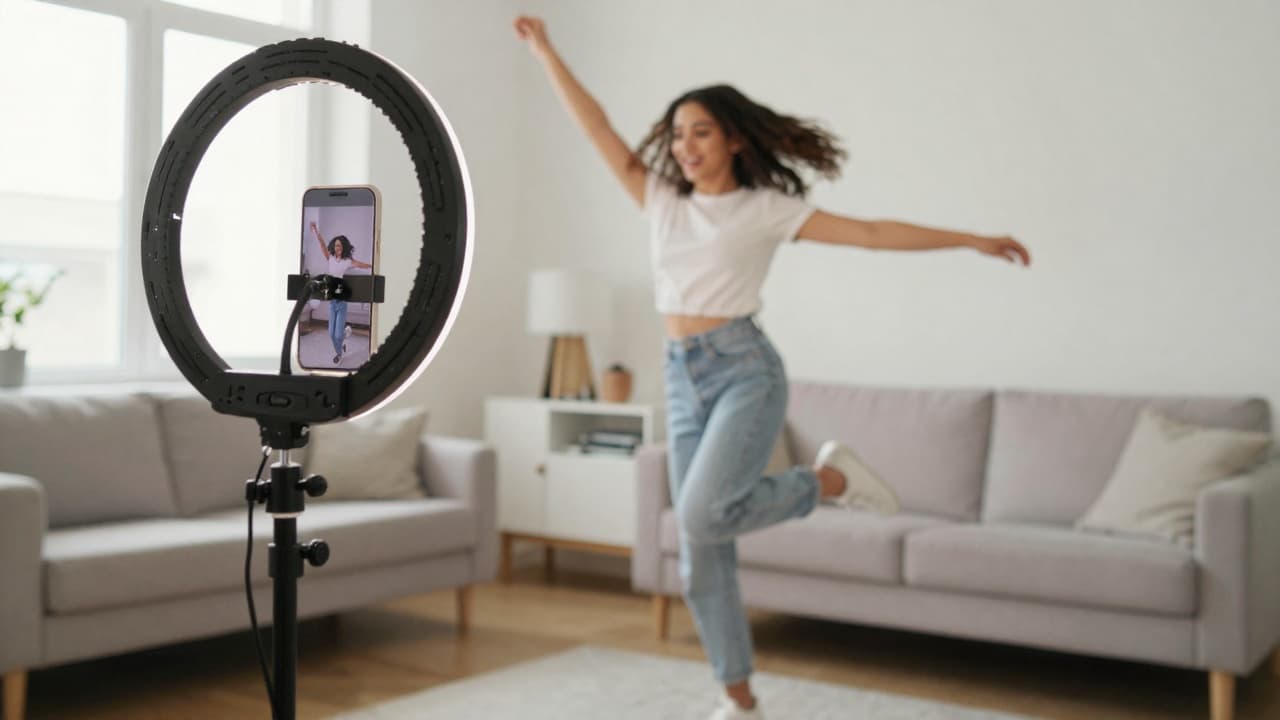
You found a reel with the exact energy you want, you drop a photo into a swap tool, and ten seconds later the face is sliding around like wet paint. The smile lands in the wrong spot, the jaw widens on a turn, and by second four it isn't even the same person anymore.
That drift is the whole problem with character swap in 2026. Most tools take one uploaded photo and repaint it onto every frame, which is fine for a still and a disaster for motion. We built persona swap around the opposite idea: train a character once, then swap that trained identity into any clip so the face actually holds.
This post covers what AI character swap is, why one-photo tools melt, how a trained persona fixes it, and a step-by-step you can run in a few minutes.
What AI character swap is, and the consistency problem
AI character swap takes a video performed by one body and replaces the character in it with another. You supply the motion (a reference clip) and the identity (your character), and the output is a new clip where your character does the moves.
The motion part is mostly solved. Plenty of tools can read a reel and map the body movement.
Identity is where everything breaks. Tools like Viggle, Higgsfield Recast, RemixAI, and Media.io largely work from a single image. They estimate what your face looks like from one angle, then guess every other angle frame by frame. Each guess carries a little error, and errors stack, so a clip that looks great at frame one looks like a stranger by the end.
You see it as melting, warping, a face that "breathes," or features that pop in and out. It's not a bug you can prompt your way around. It's baked into the one-photo approach.
A trained persona swap skips the guessing. Instead of one photo, we train a model on your character so it already knows the face from many angles and expressions. When the body turns, the identity doesn't have to be invented on the fly, so it stays put.
How the swap works
The flow is short on purpose.
- Pick your persona (adopt a ready-made one or train your own).
- Paste a public reel, TikTok, or Short link, or upload a clip up to 50 MB.
- Your persona inherits the motion from that clip.
- You get a 9:16 vertical clip, usually about 5 to 10 seconds, matched to the source.
There's also a no-reference path. In generate mode you animate your persona straight from a text motion prompt, choosing 5, 10, or 15 seconds, with no source clip at all. That's handy when you have an idea but no reel to copy.
Either way, you're working with a character you own, not a stranger's face. The persona is fictional, trained by you, and reusable across every clip you make.
Character swap vs one-photo face swap
Here's the difference laid out plainly. This is the gap that decides whether your clip is usable past second three.
| One-photo face/character swap | Trained persona swap (MintFace) | |
|---|---|---|
| Identity over time | Drifts and melts as the body moves | Holds across the full clip |
| Whose likeness | Usually a real person's photo | A fictional character you trained and own |
| Source of the face | One uploaded image, guessed per frame | A model trained on your persona |
| Reuse | Re-upload and re-guess every time | Same persona, every clip, consistent |
| Consent / deepfake risk | High if it's a real person | None — fictional, no real-person likeness |
| Best clip length today | Short, and gets worse over length | About 5 to 10 seconds, steady throughout |
| Output | Inconsistent vertical clip | 9:16 vertical, consistent character |
The one-photo column isn't useless. For a two-second loop or a meme, it's fine. But the moment you want a character people recognize across a series, the per-frame guessing falls apart and the persona approach wins.
What you can make
Once your character holds across a clip, the use cases open up.
UGC ads where the same spokesperson reads different scripts, so your brand has one recognizable face instead of paying a new creator each time.
Faceless creator content, where you run an account without ever putting your own face on camera. If that's your goal, our guide on making money on OnlyFans without showing your face goes deeper.
Product demos where the same presenter walks through different features across a campaign.
A recurring character series, the way a real influencer builds a following. Pick a look, train it, and post that same character week after week. Our how to make an AI influencer post walks through the whole arc.
For scenes and motion ideas, the prompt library is a good place to pull from when you're stuck.
Honest limits
We'd rather you know the rough edges before you spend a credit.
Clips are short today. About 5 to 10 seconds is the sweet spot, and longer formats are still coming.
Motion quality depends on the source. A clean, steady, well-lit reference clip swaps cleanly. A shaky, dark, or chaotic one fights you.
Fast or complex motion is the hard case. Hands, props, and rapid spins can still glitch, because tracking detailed motion frame by frame is genuinely hard for every tool right now, not just ours.
Links have to be public. A private or unlisted post won't pull, so either use a public clip or upload the file directly.
And the rule we hold firm: we don't allow swapping a real person's face without consent. Personas are fictional AI characters. Whatever platform you post to, disclose AI content per its rules.
Step by step
Start to finish, this is a few minutes.
First, get a persona. The fastest path is adopting the ready-made persona that comes with a new account at no credit cost. If you want your own look, describe it, pick from the hero candidates we generate, and train it. Training takes around 10 minutes, then it's yours forever.
Second, find a reference. Grab a public reel, TikTok, or Short with the motion you want, or have a clip ready to upload (up to 50 MB).
Third, run the swap. Paste the link or upload the file, choose your persona, and we map the motion onto your character. You'll get a 9:16 clip in the 5 to 10 second range.
Fourth, post it. Download, add it to your editor if you want music or captions, and publish with an AI-content disclosure.
The whole thing costs about 4 credits per second of video, and you start free with no card.
Frequently asked questions
What is AI character swap?
AI character swap puts one character into a video that was performed by someone else. You give it a reference clip for the motion, and your character takes over the body and movement. The hard part is keeping the same face across every frame, which is where most one-photo tools fall apart.
How is persona swap different from a one-photo face swap?
A one-photo tool pastes a single uploaded image onto each frame, so the face drifts and melts when the body moves. A persona swap uses a character you trained, so its identity holds across the whole clip. It's also a fictional character you own, not a real person's likeness.
Is AI character swap a deepfake?
Not the way we do it. We don't allow swapping a real person's face without consent. A MintFace persona is a fictional AI character you created and own, so there's no real-person likeness involved. You should still disclose AI content under each platform's rules.
How long can the swapped clips be?
Today, clips run about 5 to 10 seconds and match the length of your reference clip. Longer formats are on the way. If you need a 30-second piece now, you can stitch a few short clips together in your editor.
How much does it cost to swap a video?
Video runs about 4 credits per second. Signing up is free with no card, and new accounts get a ready-made persona to adopt at no credit cost plus 5 image credits. The Starter credit pack is $9.99 when you want more.
What kind of reference clips work best?
Public Instagram reels, TikToks, and YouTube Shorts work, or you can upload a clip up to 50 MB. Clean, well-lit footage with clear motion gives the best result. Fast, chaotic motion and busy hand or prop work are harder for any tool today.